
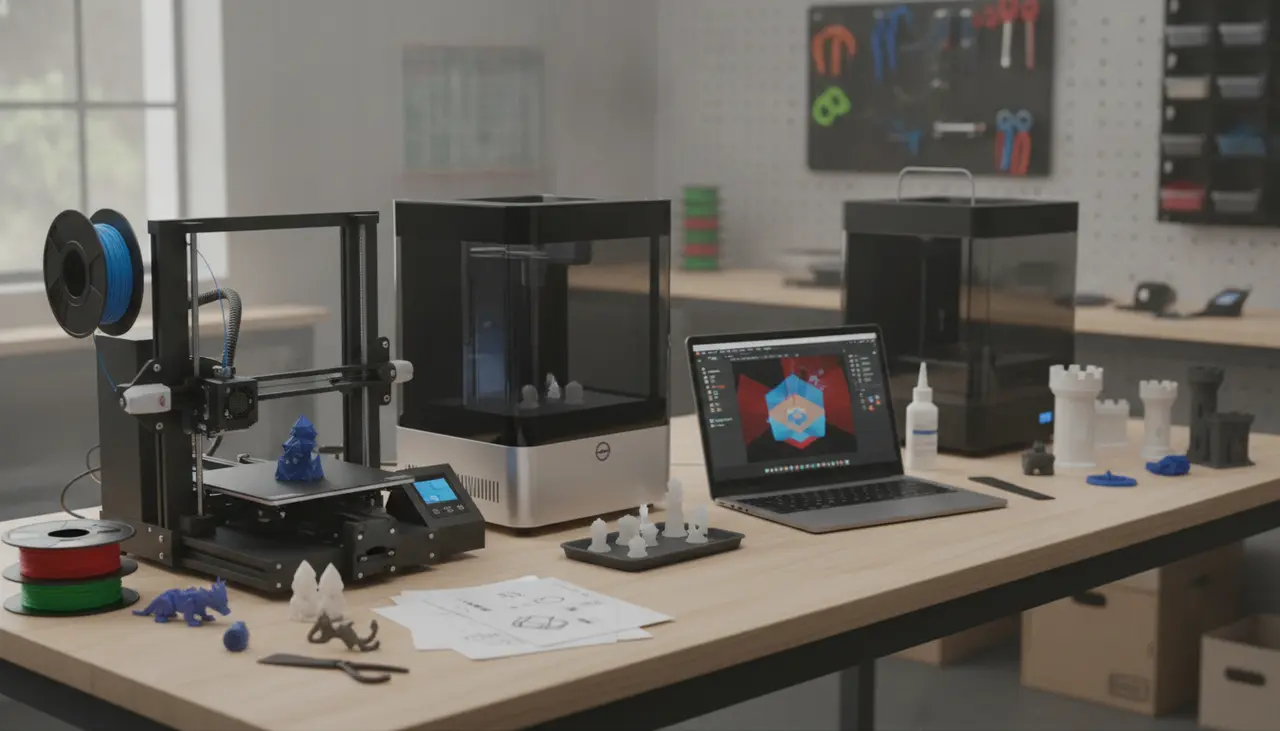
The 3D Print Nook Master Buying Guide: How to Choose Your First Home 3D Printer
Affiliate Disclosure: This guide contains affiliate links to trusted partners like Amazon, MatterHackers, and the Creality Store. If you make a purchase through these links, The 3D Print Nook may earn a small commission at no extra cost to you, which helps us keep our guides free and accessible.
Choosing your first home 3D printer comes down to one fundamental question: What do you want to make? If you need durable household tools, cosplay armor, or large toys, an FDM (Fused Deposition Modeling) printer using plastic filament is your best bet. If you want to create high-detail tabletop miniatures or intricate jewelry, a Resin (SLA/MSLA) printer is the right choice. Both paths require a bit of patience and a "slicer" software to prepare your files, but the journey from digital file to physical object is one of the most rewarding experiences a maker can have.
Welcome to the Maker Journey
If you’ve spent hours watching timelapse videos of 3D prints appearing out of thin air, you’re not alone. We’ve all been there—fascinated by the technology but slightly intimidated by the jargon. Terms like "Z-offset," "retraction," and "photopolymerization" can make 3D printing feel like a high-level engineering project.
But here is the secret: 3D printing at home has never been more accessible. At The 3D Print Nook, we believe that anyone with a bit of curiosity and a willingness to learn from a few "spaghetti prints" can master this craft. This guide is designed to help you navigate your first purchase and set up a workspace that works for your life.
FDM vs. Resin: A Side-by-Side Comparison
Before clicking "buy," it is essential to understand the two main technologies dominating the home market.
| Feature | FDM (Filament) | Resin (SLA/MSLA) |
|---|---|---|
| Material Form | Spools of plastic wire (PLA, PETG) | Bottles of liquid photopolymer |
| Primary Strength | Durability and large build volume | Extreme detail and smooth surfaces |
| Best For | Household fixes, toys, large props | Miniatures, jewelry, fine art |
| Post-Processing | Removing supports (Simple) | Washing in alcohol & UV curing (Involved) |
| Workspace Needs | Well-ventilated room | Highly ventilated, dedicated space |
| Learning Curve | Mechanical troubleshooting | Chemical safety and handling |
Finding Your "Maker Profile"
To choose the right machine, identify which of these profiles sounds most like you:
1. The Functional DIYer (FDM Focus)
You want to print a replacement bracket for your dishwasher, a custom wall mount for your VR headset, or a massive Mandalorian helmet.
- What to look for: A printer with a "Direct Drive" extruder for easier filament handling and a "PEI" spring steel build plate for better adhesion.
- Recommended Materials: Start with PLA for ease of use, then move to PETG for items that need to withstand heat or outdoor conditions.
2. The Miniature Artist (Resin Focus)
You are a tabletop gamer or a sculptor. You want to see every link in a knight’s chainmail or the facial expressions on a 28mm goblin.
- What to look for: A printer with at least a 4K or 8K mono LCD screen. The higher the resolution of the screen, the finer the detail.
- Essential Gear: You will need a "Wash and Cure" station to safely handle the prints after they finish.
3. The Budget-Conscious Explorer
You want to try the hobby without breaking the bank.
- What to look for: The "Ender-style" open-frame printers are often the entry point for many. They require more manual assembly and "tinkering," which is actually a great way to learn how the machines work.
The Hidden Pillar: Slicer Software
A 3D printer cannot read a standard 3D file (like an STL or OBJ) directly. It needs a "Slicer" to translate that 3D model into "G-code"—a list of coordinates telling the printer where to move.
- For FDM Users: Cura and PrusaSlicer are the gold standards. They are free, have massive community support, and include "profiles" for most popular printers so you don't have to guess the settings.
- For Resin Users: Chitubox and Lychee Slicer are the go-to options. These focus on "supporting" your model so it doesn't fall into the resin vat during the print process.
Beginner Mistakes to Avoid
We want your first print to be a success. Avoid these common pitfalls that often frustrate new makers:
- The "Oily Finger" Trap: Touching your build plate with bare hands leaves skin oils behind. This is the #1 cause of prints not sticking. Wipe your plate with 90% Isopropyl Alcohol before every print.
- Ignoring the Bed Level: If the first layer isn't perfect, the rest of the print will fail. Take the time to "level" or "tram" your bed manually, even if your printer has "Auto-Bed Leveling."
- Wet Filament: Plastic filament is like a sponge; it absorbs moisture from the air. If you hear "popping" sounds while printing, your filament is damp. Store your spools in airtight bins with desiccant packs.
- Skipping Safety: Resin is a chemical. Never handle it without nitrile gloves and eye protection, and always ensure your resin printer is in a room with a window fan or an active carbon air purifier.
Your Practical Buying Checklist
- Space: Do you have a sturdy, level table? (Resin printers need to be away from living areas).
- Budget for Accessories: Remember to set aside $50–$100 for tools like digital calipers, extra nozzles, isopropyl alcohol, and high-quality filament.
- Community: Before buying a specific brand, check Reddit or Facebook. A printer with a large community means you’ll find help faster when you run into trouble.
Frequently Asked Questions
Is 3D printing an expensive hobby? The initial investment for a reliable entry-level setup is typically between $200 and $400. After that, a standard 1kg spool of PLA filament (which can print dozens of small items) usually costs around $20.
Can I design my own things? Absolutely! Many beginners start by downloading free designs from sites like Printables or Thingiverse. When you’re ready to design, free tools like Tinkercad (for beginners) or Fusion 360 (for functional parts) are excellent places to start.
Which is easier: FDM or Resin? FDM is generally "cleaner" and better for a general hobby room. Resin produces more impressive results but involves handling chemicals and a more intensive cleanup process.
Next Steps
Once you’ve decided on your technology path, your next step is to look at specific hardware. We recommend diving into our detailed hardware reviews to see how different models compare in terms of setup time and out-of-the-box reliability.
Remember, every expert maker started with a failed print and a clogged nozzle. Don't be afraid to make mistakes—that’s where the real learning happens. Happy printing!