
Quiet Your 3D Printer: Best Fan and Motor Upgrades for a Family-Room Friendly Setup
Affiliate Disclosure: This post contains affiliate links. If you purchase through these links, we may earn a small commission at no additional cost to you. This helps support The 3D Print Nook.
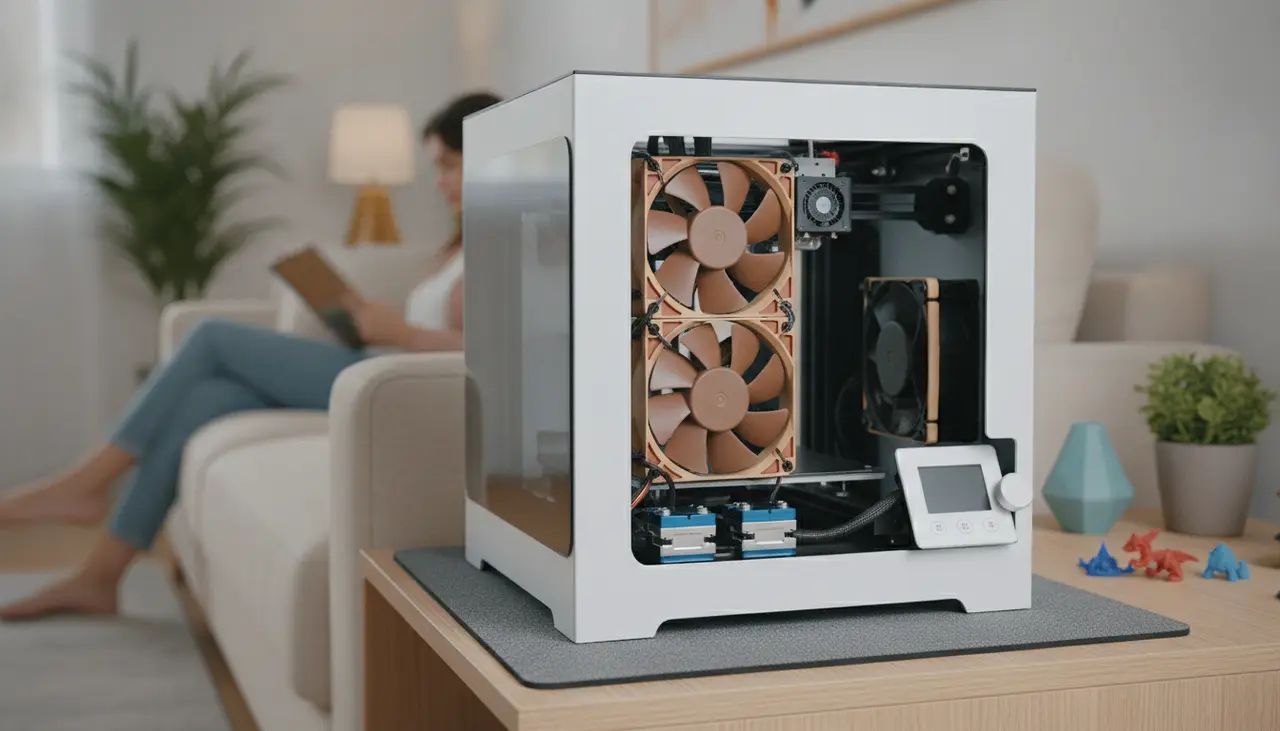
To make a 3D printer quiet, you must address the two primary sources of noise: the stepper motors and the cooling fans. Upgrading to a "silent" mainboard equipped with Trinamic (TMC) stepper drivers can virtually eliminate the high-pitched "singing" of the motors. Following that, replacing loud stock fans with high-quality alternatives like Noctua fans significantly reduces the constant whirring of the cooling system.
By combining these hardware upgrades with simple vibration-dampening solutions, you can transform a noisy machine into one that is quiet enough to run in a home office or family room without causing a distraction.
Is This Guide for You?
If you’ve ever had to turn up the TV volume because your Ender 3 was "singing" in the corner, or if your partner has gently suggested that the printer move to the garage, this guide is for you. We are focusing on desktop FDM printers (like the Creality Ender series, Anycubic Kobra, or Prusa clones) that are commonly used by hobbyists. Our goal is to help you achieve a peaceful printing environment without sacrificing print quality.
Noise Source Comparison: Where to Start?
| Upgrade Type | Primary Noise Target | Difficulty Level | Impact on Noise |
|---|---|---|---|
| Silent Mainboard | Stepper Motor Whining | Moderate | High (Removes "singing") |
| Fan Replacement | Constant Airflow Whoosh | Moderate | High (Reduces "drone") |
| Dampening Feet | Table Vibration/Hum | Easy | Low to Moderate |
| Enclosure | All Mechanical Noise | Easy to Moderate | Moderate |
1. The "Brain" Upgrade: Silent Mainboards
The most recognizable 3D printer sound is the melodic, high-pitched whining of the motors as they move the print head. This isn't actually the motors' fault; it's the way the mainboard "talks" to them.
Why it works: Stock budget printers often use cheap A4988 drivers. Upgrading to a board with TMC2208 or TMC2209 drivers (often called "Silent Boards") uses a technology called StealthChop. This smooths out the electrical pulses, making the motors move in near silence.
Best for:
- Creality Users: The Creality 4.2.7 Silent Board is a "drop-in" replacement for older Ender 3 models.
- DIY Enthusiasts: The BigTreeTech SKR Mini E3 is a community favorite that offers silent drivers and better thermal management.
2. The "Lungs" Upgrade: Quiet Cooling Fans
Once the motors are silent, you’ll notice the next loudest culprit: the fans. Most budget printers use inexpensive 40mm sleeve-bearing fans that drone loudly.
The Noctua Solution: Noctua is the gold standard for quiet PC cooling, and they have become a staple in the 3D printing community. Their fans use specialized blade designs and high-quality bearings to move air with significantly less noise.
Important Note on Voltage: Most Noctua fans run on 12V, but many 3D printers (like the Ender 3 or Ender 5) run on 24V. To use a Noctua fan, you will likely need a DC-DC Buck Converter to step the power down from 24V to 12V. It sounds technical, but it’s a great "level-up" project for any maker.
Where to swap fans:
- Hotend Fan: Always on, often the loudest.
- Power Supply (PSU) Fan: Only kicks in under load but can be very buzzy.
- Controller Board Fan: Keeps your new silent drivers cool.
When choosing fans, remember that your choice of material matters. For example, when reading our guide on PLA vs PETG: Which Filament Should You Start With?, you'll learn that PLA requires much more aggressive part cooling than PETG. If you're printing mostly PLA, ensure your quiet fan still provides enough "oomph" to prevent heat creep or sagging layers.
3. Mechanical Dampening: The "Quiet Shoes"
Sometimes the noise isn't coming from the printer itself, but from the table it’s sitting on. The printer’s movements cause vibrations that the table amplifies like a drum.
Practical Tips:
- Squash Ball Feet: Many makers 3D print "feet" that hold standard squash balls. These provide excellent vibration isolation.
- Paver Stone & Foam: Placing your printer on a heavy concrete paver stone, which itself sits on a piece of foam or a yoga mat, is a legendary "cheap fix" in the community. The mass of the stone absorbs the vibration before it reaches your desk.
Common Beginner Mistakes to Avoid
- Ignoring Airflow: When you switch to a "silent" fan, check the CFM (Cubic Feet per Minute) rating. A fan that is too weak can lead to "heat creep," where filament melts too high up in the extruder and causes a clog.
- Incorrect Voltage: Plugging a 12V Noctua fan directly into a 24V header will result in a very short-lived (and smoky) fan. Always verify your printer's voltage with a multimeter.
- Over-tightening Belts: While you want your belts snug for print quality, over-tightening them puts extra strain on the stepper motors, which can increase noise and wear out the bearings prematurely.
FAQ: Making Your Printer Family-Room Friendly
Q: Will a silent board make my prints look better? A: Generally, yes. TMC drivers provide smoother current to the motors, which can reduce "salmon skin" patterns on the surface of your prints, leading to a cleaner finish.
Q: Is it safe to put my printer in a closet to hide the noise? A: It can be, but you must be careful. Closets lack airflow, which can lead to the electronics overheating. If you go this route, consider an enclosure with a dedicated exhaust fan and always have a smoke detector nearby.
Q: Can I just oil the stock fans to make them quieter? A: This is a temporary fix. Most stock fans use sleeve bearings that eventually dry out or deform. Oiling them might help for a week, but a high-quality ball-bearing or SSO2 bearing fan is a much better long-term investment.
Taking the Next Step
If you're still in the process of choosing your first machine and want to avoid these upgrades later, be sure to check our 3D Printer Reviews section on the main page. Many modern mid-range printers now come with silent mainboards pre-installed, saving you the hassle of a teardown!
Upgrading your printer is a rite of passage. Take it slow, do one upgrade at a time, and soon you'll be able to enjoy the magic of additive manufacturing without the headache of the noise. Happy (and quiet) printing!